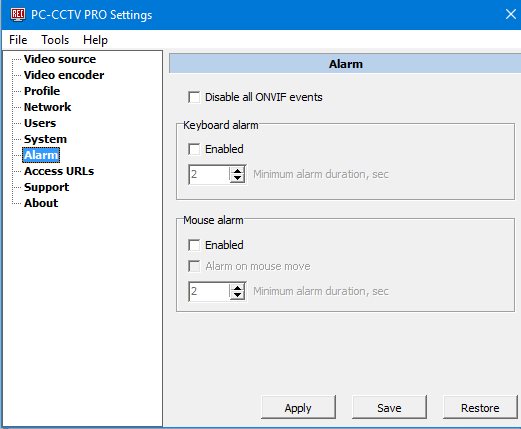
Disable all ONVIF events: If the option is turn on, then DVR using ONVIF detects that the program doesn't support ONVIF Events.
This ONVIF event occurs when the keyboard is pressed or released.
Minimum alarm duration, sec: After this period of time, the alarm will go into the inactive state.
Enabled: To enable alarm.
ONVIF Event decription.
Topic expression: tns1:VideoAnalytics/tnspccctv:MotionDetection
source=Keyboard - String
state=True - The alarm is active
state=False - The alarm is inactive
This ONVIF event occurs when the mouse is pressed, released or moved.
Enabled: To enable alarm.
Alarm on mouse move: Enables checking the mouse movement. If disabled, only mouse clicks are checked.
Minimum alarm duration, sec: After this time, the alarm will go into the inactive state.
ONVIF event decription.
Topic expression: tns1:VideoAnalytics/tnspccctv:MotionDetection
source=Mouse - String
state=True - The alarm is active
state=False - The alarm is inactive